
Experience the Future of Trading: How to Access the KalqiX Testnet
Step into the Future of Decentralised Trading

Step into the Future of Decentralised Trading
The wait is over. It’s time to experience what trading should feel like secure, transparent, and completely in your control.
Welcome to the KalqiX Testnet, where you can explore self-custodial trading powered by zk-proof technology.
Here’s how to get started in just a few minutes.
Step 1: Visit the Testnet
Open testnet.kalqix.com in your browser.
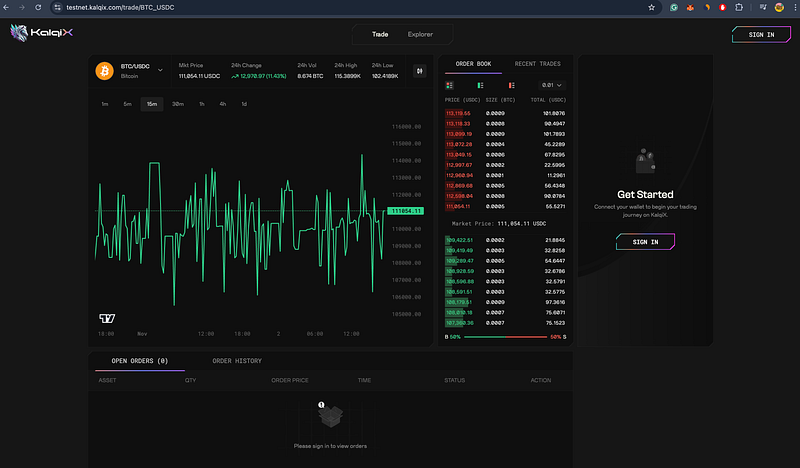
Step 2: Sign In and Connect Your Wallet.
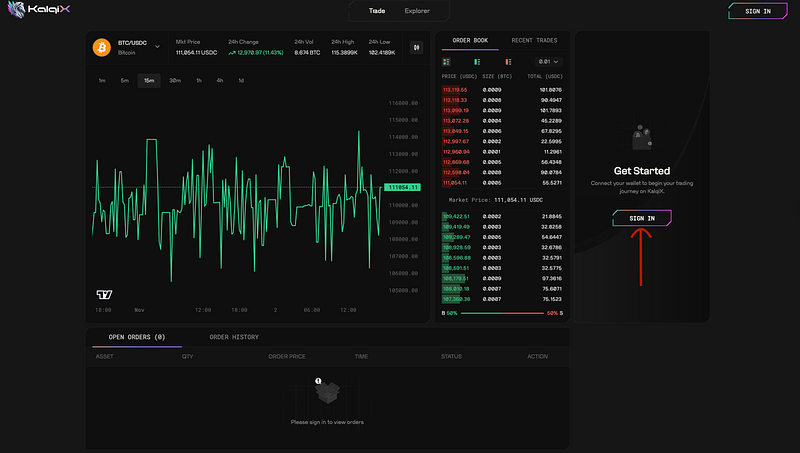
Step 3: Connect your Metamask/Rabby/web3 wallet.
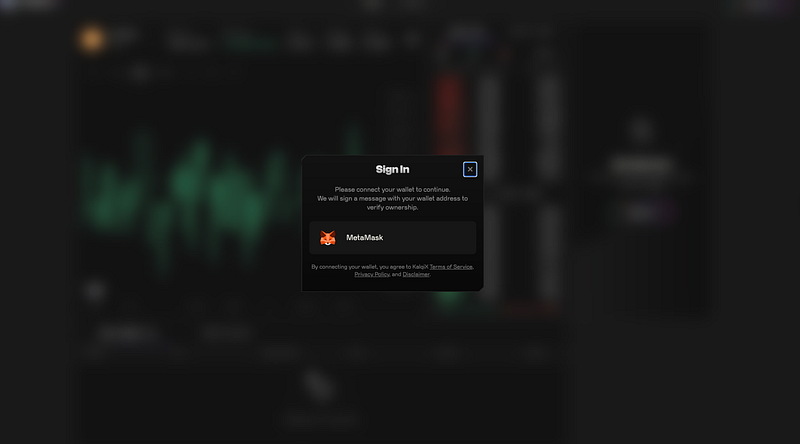
Step 4: If Base Sepolia/Citrea is not already added, it will prompt you to add it automatically.
- Click Approve
- Then click Connect
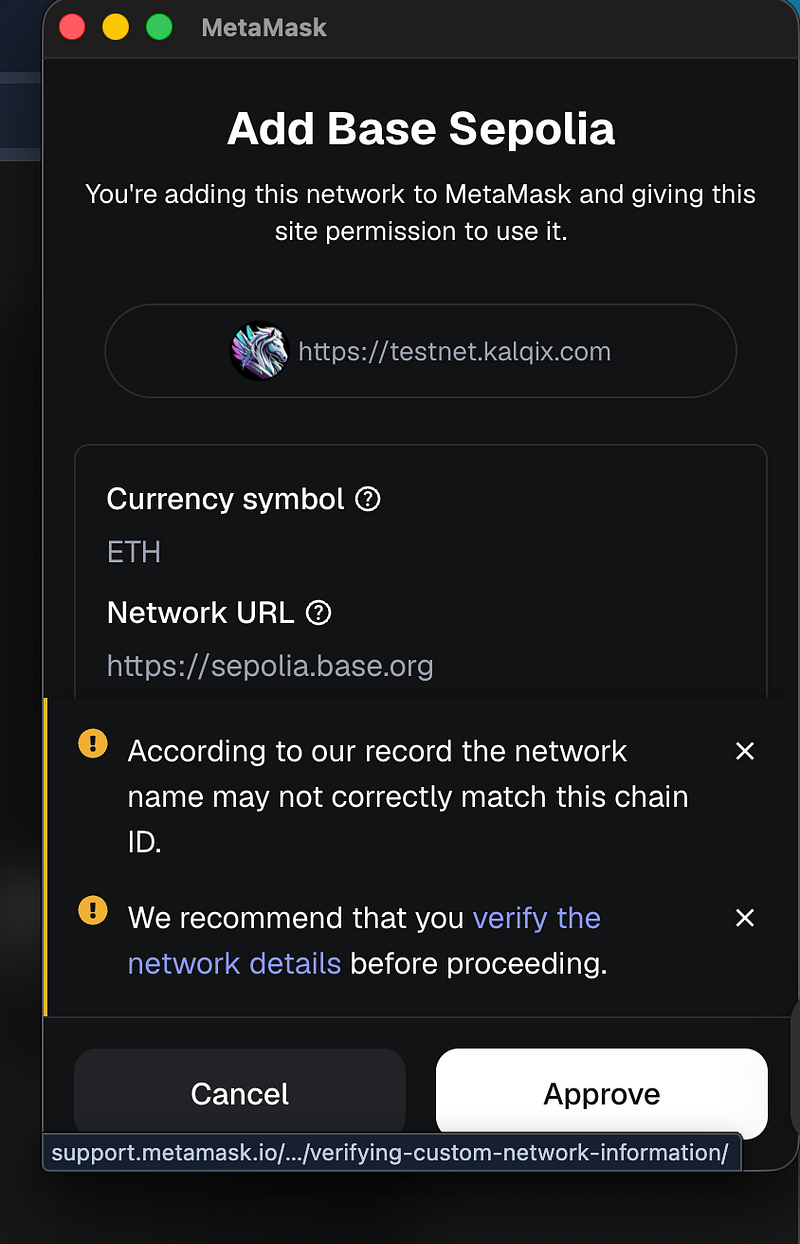
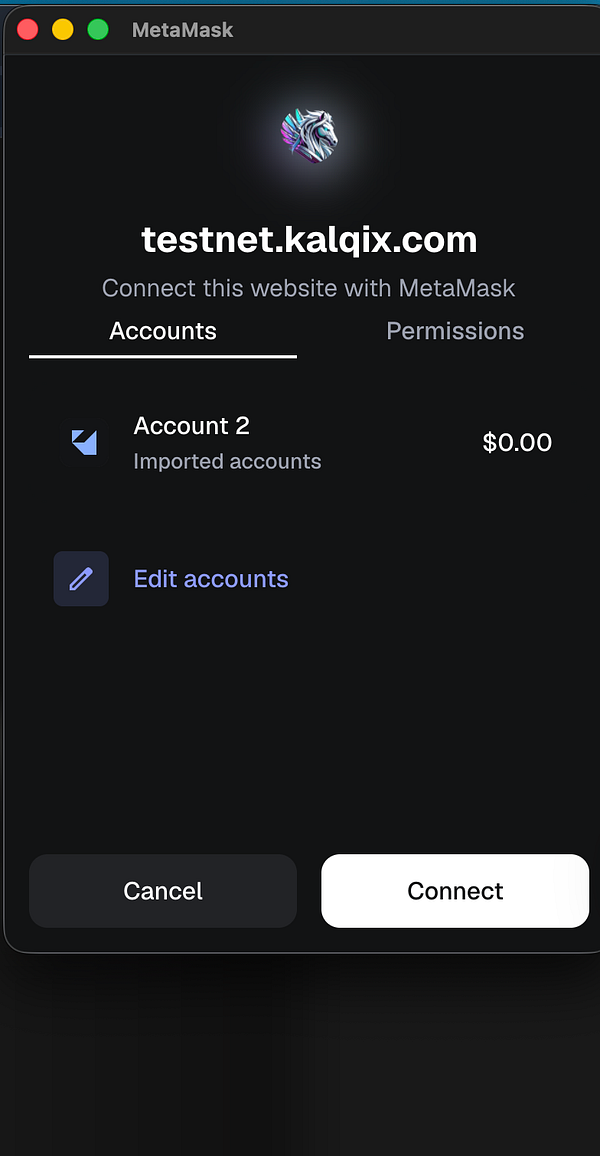
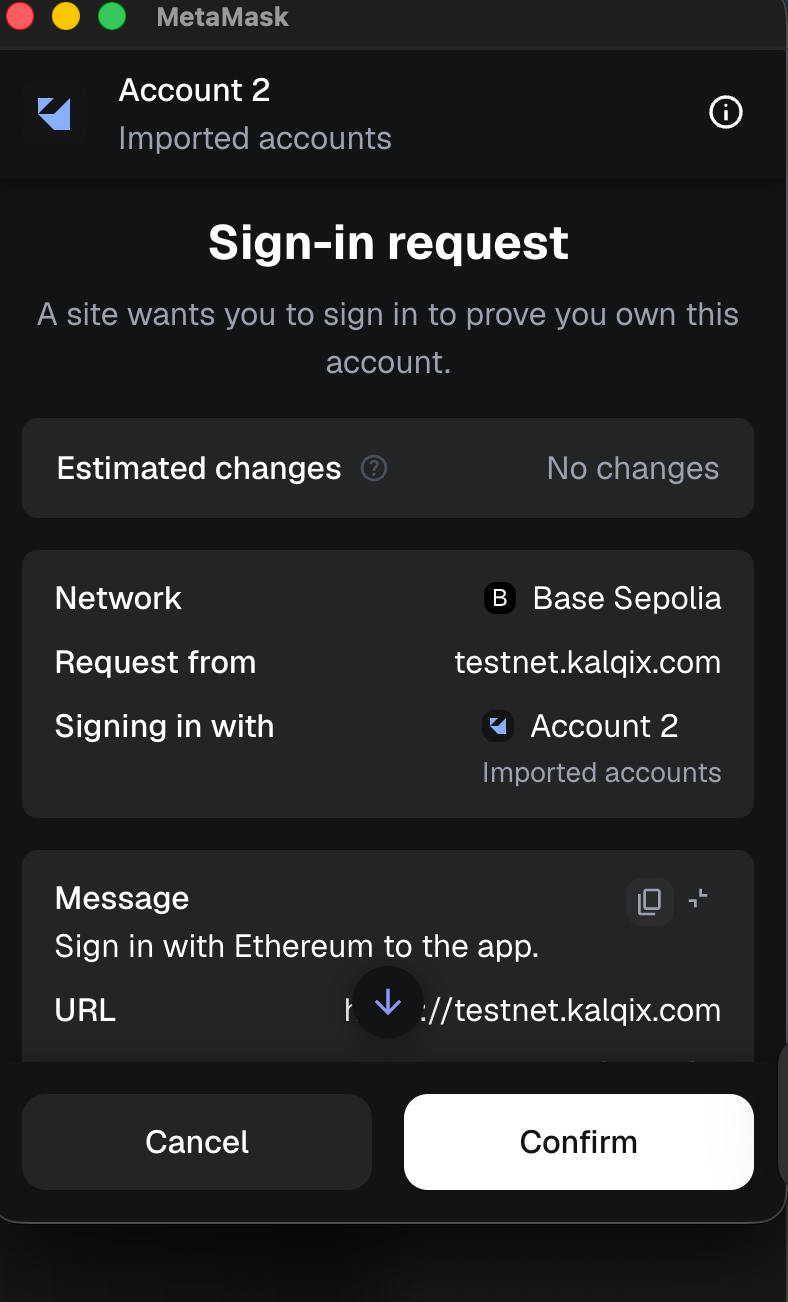
Step 5: Authorize Connection.
You’ll be asked to sign a transaction to connect your wallet securely with KalqiX.
Once signed, you’re officially connected.
Step 6: Congratulations, you are now part of the KalqiX Testnet.
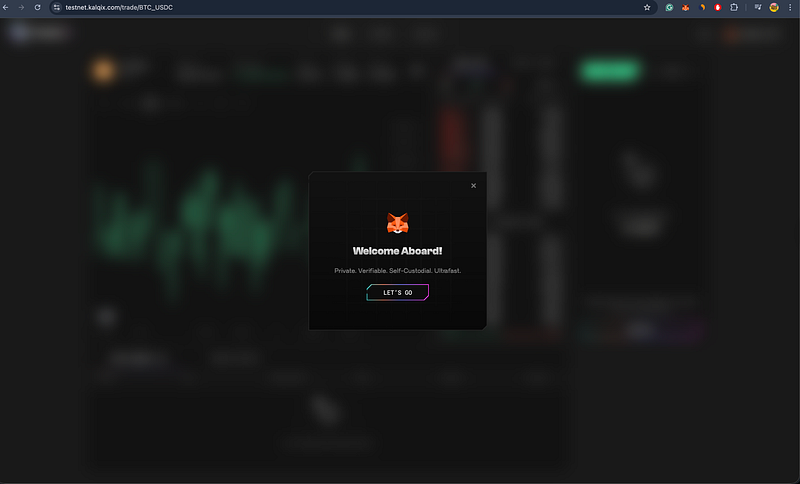
Step 7: Receive Test Assets.
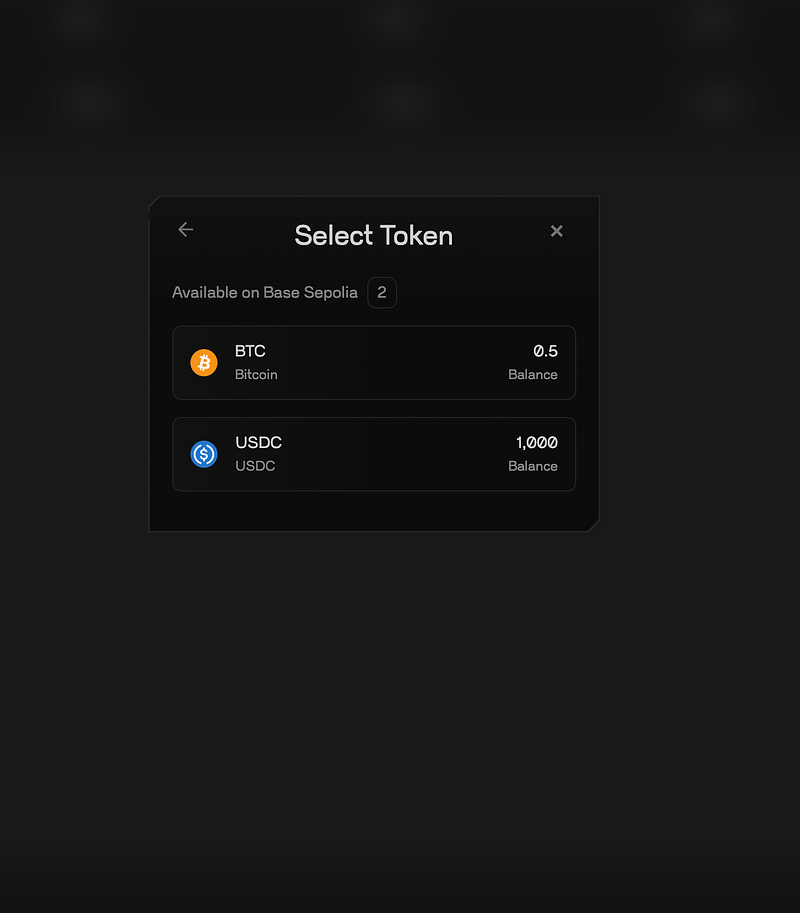
Within a minute of connecting, you’ll automatically receive Test BTC (0.5) and Test USDC (1000) for demo trading.
Step 8: Deposit Test Assets.
Click on your wallet icon and select Deposit.
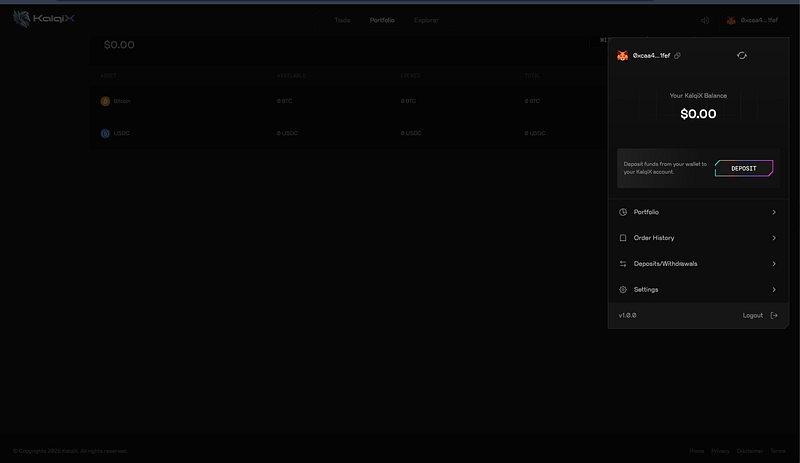
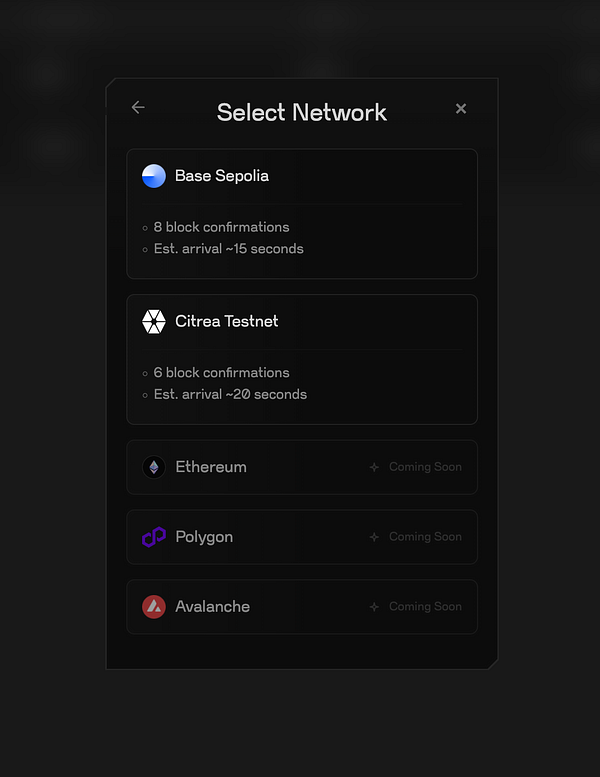
Step 9: Click on select network and select Base Sepolia network.
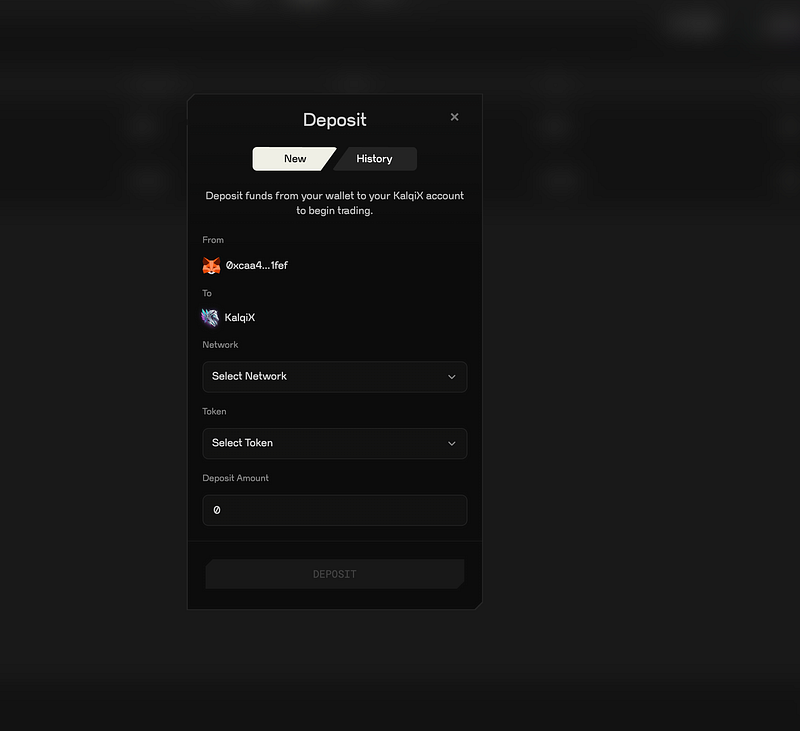
Step 10: Click Select Token to view your available assets. Choose the Test BTC or Test USDC you received. Confirm and Deposit.
Step 11: Your deposit will be visible in your account in ~60 secs.
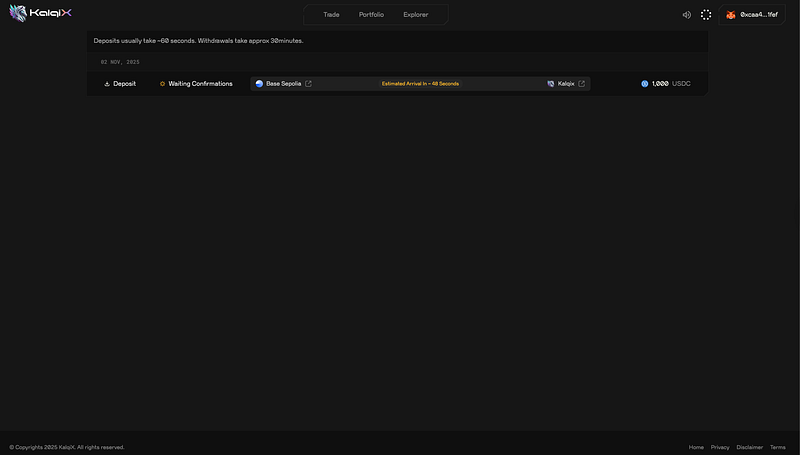
Step 12: Start Trading.
That’s it. You’re all set to participate in KalqiX Testnet activities — trade, explore features, and experience self-custodial, zk-proof trading.
Need Help?
We’re here for you.
Join our Telegram community: t.me/kalqiX.
Or raise a ticket on Discord: discord.gg/RBgabPVTNX.
Welcome to KalqiX — the decentralized trading experience built for the future. ⚡